Naver, Daum, Google Open API
글 수 52

cyber

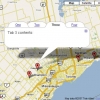
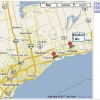
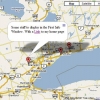
http://www.subkorea.com/api/google/MapsAPI/marker-maptips.html별도의 링크 텍스트 (마크 클릭시 설명 - xml)
<!DOCTYPE html PUBLIC "-//W3C//DTD XHTML 1.0 Strict//EN" "http://www.w3.org/TR/xhtml1/DTD/xhtml1-strict.dtd">
<html xmlns="http://www.w3.org/1999/xhtml">
<head>
<title>Google Maps</title>
<script src="http://maps.google.com/maps?file=api&v=2&key=abc...xyz" type="text/javascript"></script>
</head>
<body>
<!-- you can use tables or divs for the overall layout -->
<table border=1>
<tr>
<td>
<div id="map" style="width: 550px; height: 450px"></div>
</td>
<td width = 150 valign="top" style="text-decoration: underline; color: #4444ff;">
<div id="side_bar"></div>
</td>
</tr>
</table>
<a href="tooltips.htm">Back to the tutorial page</a>
<noscript><b>JavaScript must be enabled in order for you to use Google Maps.</b>
However, it seems JavaScript is either disabled or not supported by your browser.
To view Google Maps, enable JavaScript by changing your browser options, and then
try again.
</noscript>
<script type="text/javascript">
//<![CDATA[
if (GBrowserIsCompatible()) {
var side_bar_html = "";
var gmarkers = [];
var htmls = [];
var i = 0;
// A function to create the marker with a tooltip
function createMarker(point,name,html) {
html = '<div style="white-space:nowrap;">' + html + '</div>';
// === marker with tooltip ===
var marker = new GMarker(point, {title:name});
// ===========================
GEvent.addListener(marker, "click", function() {
marker.openInfoWindowHtml(html);
});
gmarkers[i] = marker;
htmls[i] = html;
side_bar_html += '<a href="javascript:myclick(' + i + ')">' + name + '</a><br>';
i++;
map.addOverlay(marker);
}
// This function picks up the click and opens the corresponding info window
function myclick(i) {
gmarkers[i].openInfoWindowHtml(htmls[i]);
}
// create the map
var map = new GMap2(document.getElementById("map"));
map.addControl(new GLargeMapControl());
map.addControl(new GMapTypeControl());
map.setCenter(new GLatLng(43.907787,-79.359741), 9);
// Read the data from example.xml
var request = GXmlHttp.create();
request.open("GET", "example.xml", true);
request.onreadystatechange = function() {
if (request.readyState == 4) {
var xmlDoc = GXml.parse(request.responseText);
// obtain the array of markers and loop through it
var markers = xmlDoc.documentElement.getElementsByTagName("marker");
for (var i = 0; i < markers.length; i++) {
// obtain the attribues of each marker
var lat = parseFloat(markers[i].getAttribute("lat"));
var lng = parseFloat(markers[i].getAttribute("lng"));
var point = new GLatLng(lat,lng);
var html = markers[i].getAttribute("html");
var label = markers[i].getAttribute("label");
// create the marker
var marker = createMarker(point,label,html);
}
// put the assembled side_bar_html contents into the side_bar div
document.getElementById("side_bar").innerHTML = side_bar_html;
}
}
request.send(null);
}
else {
alert("Sorry, the Google Maps API is not compatible with this browser");
}
// This Javascript is based on code provided by the
// Blackpool Community Church Javascript Team
// http://www.commchurch.freeserve.co.uk/
// http://econym.googlepages.com/index.htm
//]]>
</script>
</body>
</html>
https://www.subkorea.com/xe/84623
(*.225.54.140)
|
||||||||||||||||||||||||||||||||||||||||||||||||||||||||||||||||||||||||||||||||||||||||||||||||||||||||||||||||||||||||||||||||||||||||||||||||||||||||||||||||||||||||||||||||||